

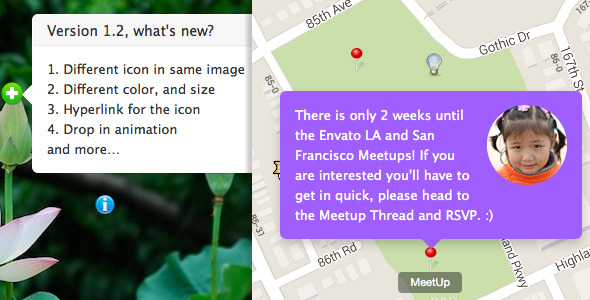
This plugin help you to add a global Notification box to your WordPress while user scrolling the page, the notification support HTML and WordPress shortcode. So you can put any content in it, like a Youtube video, embedded Tweets or a Image Map HotSpot.


Update log
- 10.13 2013 Version 1.2:
- Update the position option feature, now you can customize the position via top, right, bottom, left like CSS. Help you to control the position more precise.
- Add post/page ID option, now you can specify it to display on a certain post or page only. Which support the post_title or post_name(slug) too.
- 10.6 2013:
- Added background opacity option, make the notification readable and transparent.
- Added optional close button, after user click the close button the notification won’t show again until user scroll to the page top again or reload the page.
- 9.30 2013: Fix the missing title/alt of notification image in the front end.
Features
- Available settings include:
Notification Image (optional), image width, image title, image float, image hyperlink, Notification Text (optional), background, font color, notification width, notification height, position top, right, bottom, left, Appear from (scrollTop), to, Animation ease in, ease out, autohide delay, post/page ID, visible or hidden when page loaded. Screenshots of the whole settings - Display globally or specify it only display in a certain post or page.
- Easy to install and setup with WordPress. Compatible with latest jQuery(1.10.x) and latest WordPress.
- You can add/edit the Notification without touching the code. Customize/update the image and text with WordPress backend. Live preview available in the backend.
- Notification support any kind of content, for example you can put a Youtube video or a Image Map HostPot in it.
- Color picker for updating color easily.
- CSS3 transition support, fade only on the older browser, like IE8, you can select the animation easily in the backend.
- Optional autohide by delay.
- FAQ and source code are included in the package. Free update in the future.
“Wow!
simonben
Purchased, installed, configured and live in under 5 minutes. A work of art.”
Recommendation for you
Image Map HotSpot WordPress Plugin:
Credit
jQuery http://jquery.com
Animate.css http://daneden.me/animate/

No comments:
Post a Comment